点一下,
电脑就开了。
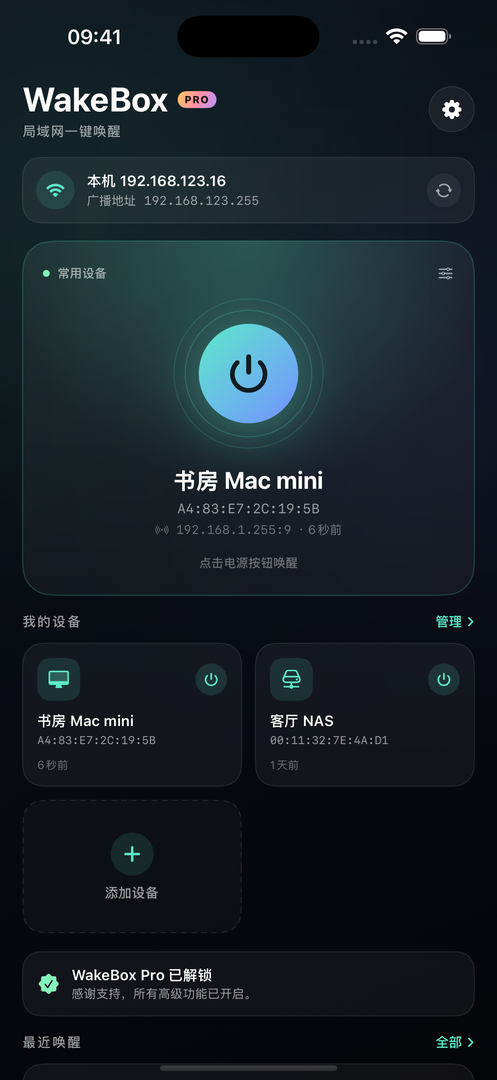
手机和电脑连上同一个 Wi-Fi,轻点电源按钮即可唤醒电脑、NAS 或服务器,不用再走到设备旁边按开机键。
适用于支持 Wake-on-LAN 的有线网卡。需要在目标设备的 BIOS 与系统中开启网络唤醒。
功能
一键唤醒
标准 UDP 魔术包,支持自定义端口与广播地址。
多设备管理
电脑、NAS、服务器分组保存,点卡片即可唤醒。
唤醒记录
记录时间、目标与发送结果,便于排查失败原因。
定时唤醒
按天或按周自动开机,到点自动执行。
桌面小组件
主屏幕直接唤醒常用设备,无需打开应用。
快捷指令与 URL
通过 wakeup:// 链接接入个人自动化,精确到点。
价格
免费
- 保存 2 台设备
- 无限次唤醒
- 自定义 MAC 与广播地址
WakeBox Pro
- 无限设备
- 唤醒记录与定时唤醒
- 桌面小组件与快捷指令
- 自定义端口与网络参数
One tap.
Your PC is on.
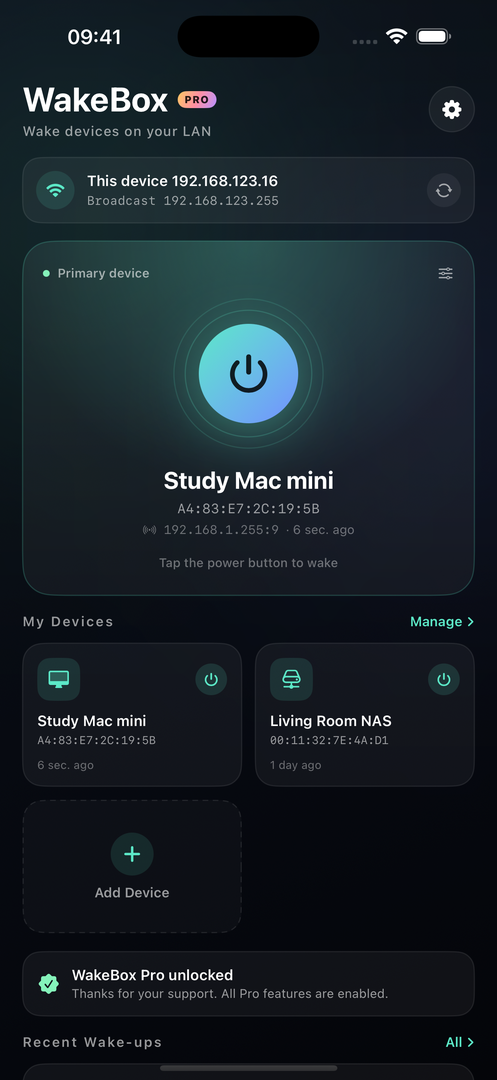
Join the same Wi-Fi as your computer, tap the power button, and wake your PC, NAS or server — no need to walk over and press the power key.
Works with wired adapters that support Wake-on-LAN. Wake-on-LAN must be enabled in the target's BIOS and operating system.
FEATURES
One-tap wake
Standard UDP magic packets, with custom port and broadcast address.
Multiple devices
Keep PCs, NAS and servers in one place and wake any of them.
Wake history
Time, target and result for every attempt, so failures are easy to trace.
Scheduled wake
Power on automatically by day or by weekday.
Home screen widget
Wake favourite devices from the Home Screen without opening the app.
Shortcuts & URL
Use wakeup:// links in personal automations for precise timing.
PRICING
Free
- Up to 2 devices
- Unlimited wakes
- Custom MAC and broadcast address
WakeBox Pro
- Unlimited devices
- Wake history and schedules
- Widgets and Shortcuts
- Custom port and network settings